
A LinkedIn Lead Generation Tool That Starts With the List.
Lead generation on LinkedIn fails at the list far more often than at the message. The audience is stale, duplicated against people you already contacted, or missing the one field that decides whether a person can be messaged at all. This is where ReachEase starts.
Six places a LinkedIn audience comes from
Different sources suit different offers. A Sales Navigator list is precise but cold; the people who engaged with a relevant post are warmer and already interested in the topic.
- Sales Navigator search — the largest and most precisely filtered source, up to 2,500 people per search
- Standard LinkedIn search — works without Sales Navigator, up to 1,000 people per search
- LinkedIn group members — shared context, useful for niche offers
- Event attendees — high intent, time-bound
- Post engagement — people who reacted to or commented on a relevant post
- CSV upload — for lists built elsewhere
Deduplication is what makes a list usable
The same person appears in a Sales Navigator search, a group and a post's engagement. Without deduplication across your whole workspace, they receive three invitations from three accounts, which is the single fastest way to look like spam. ReachEase deduplicates on the normalised LinkedIn profile URL across every list and every campaign you have ever run, including people already contacted months ago.
Enrichment decides how a lead can be contacted
Before anyone enters a campaign, ReachEase reads the profile to establish whether it is an open profile — messageable directly — or a closed profile that needs an invitation first. That single label determines the lane, and getting it wrong means either a wasted invitation or a message that cannot be delivered.
From list to conversation without an export
The import lands in a lead list, enrichment labels it, the campaign draws from it, and replies come back to the same workspace. Nothing leaves as a spreadsheet and comes back missing a column, which is where most lead-generation stacks lose both data and time.
Read it, try it, or price it.
How long a Sales Navigator import should take
Benchmarked against twenty tools’ own published pacing.
Read itRun it on one account first
One LinkedIn sender, the whole product, one payment. It does not renew and you will not be charged again.
Start for $9See what it costs at 1, 3, 5 and 10 senders
Side-by-side monthly cost against the tools you are probably also looking at, with year-one totals.
Open the comparisonStraight Answers.
How many leads can I import from LinkedIn per day?
LinkedIn caps a single search at 1,000 people on a standard account and 2,500 with Sales Navigator. ReachEase paces reads at roughly one page every 8 to 15 seconds and applies a per-account daily page budget, so a 2,500-person Sales Navigator search completes in about five to six minutes.
Does importing leads count against my LinkedIn sending limits?
No. Reading search results is a separate activity from invitations and messages. Only the outreach itself consumes your weekly invitation allowance.
What happens to duplicate leads?
They are matched on the normalised LinkedIn profile URL and skipped, across every list and campaign in the workspace. The duplicate is recorded so you can see what was filtered and why, rather than silently dropped.
AI built in
AI does the slow parts. You take the meetings.
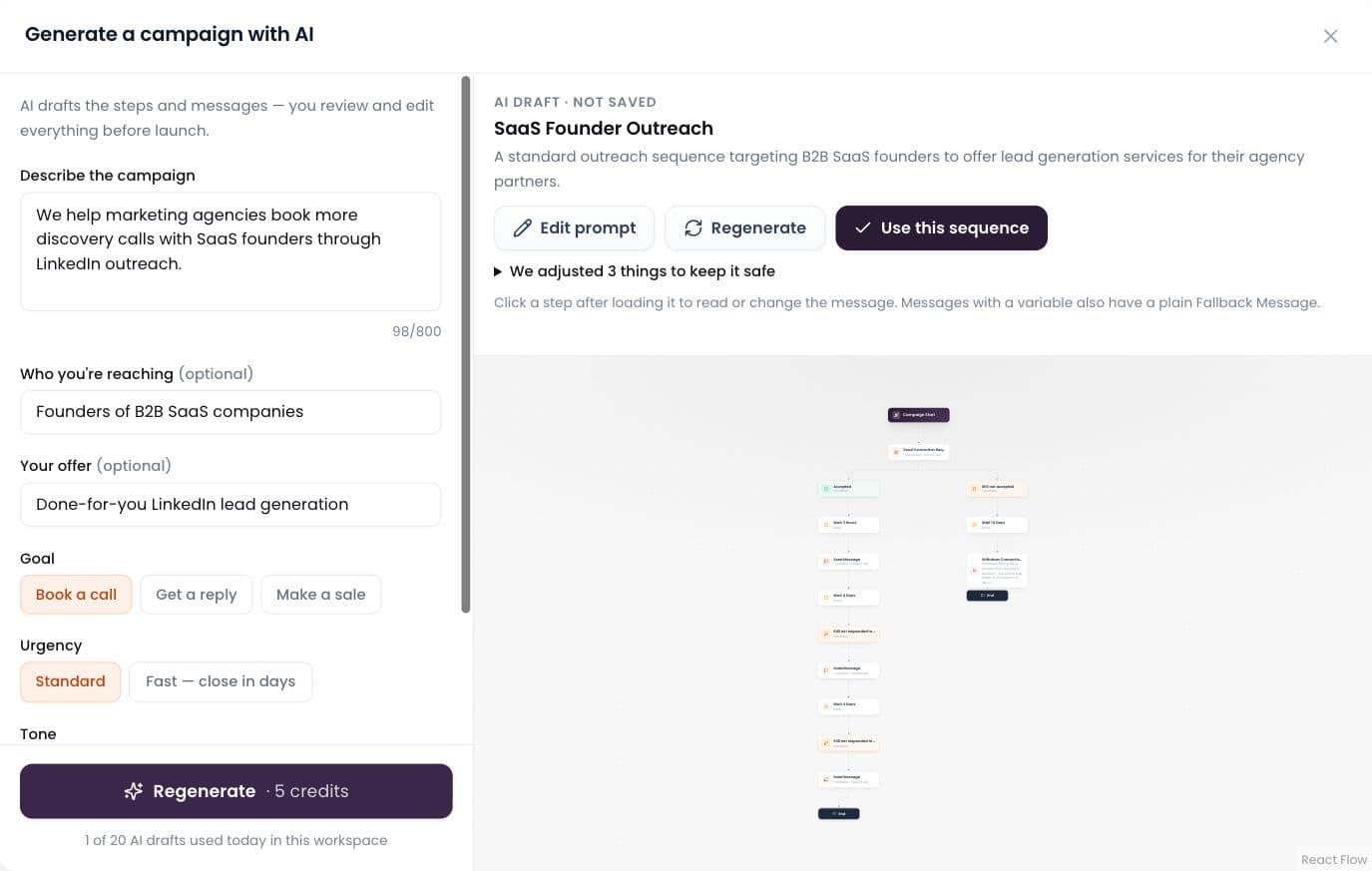
AI builds the campaign
Describe it in plain words; AI drafts the whole sequence.
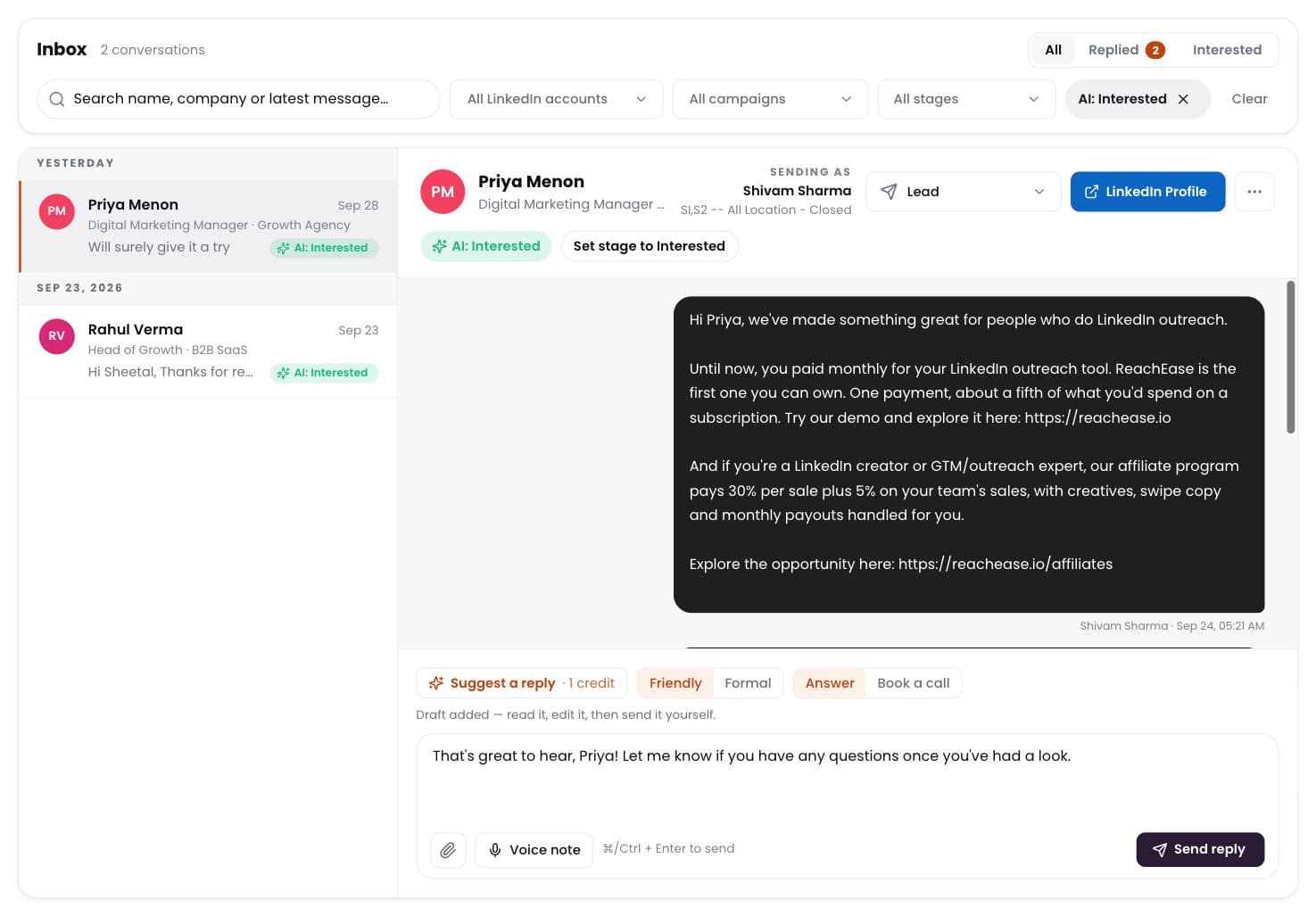
AI labels every reply
Interested, meeting, question, not interested — sorted for you.
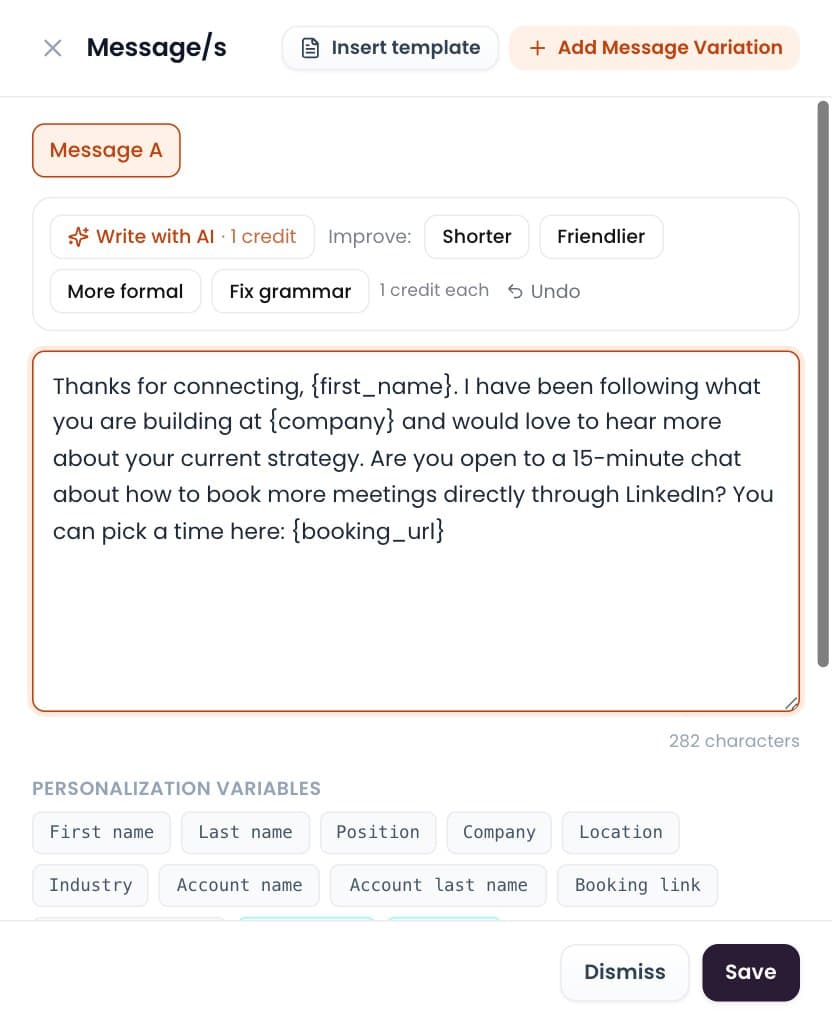
Write with AI
Draft or polish any message in one click. You send it.
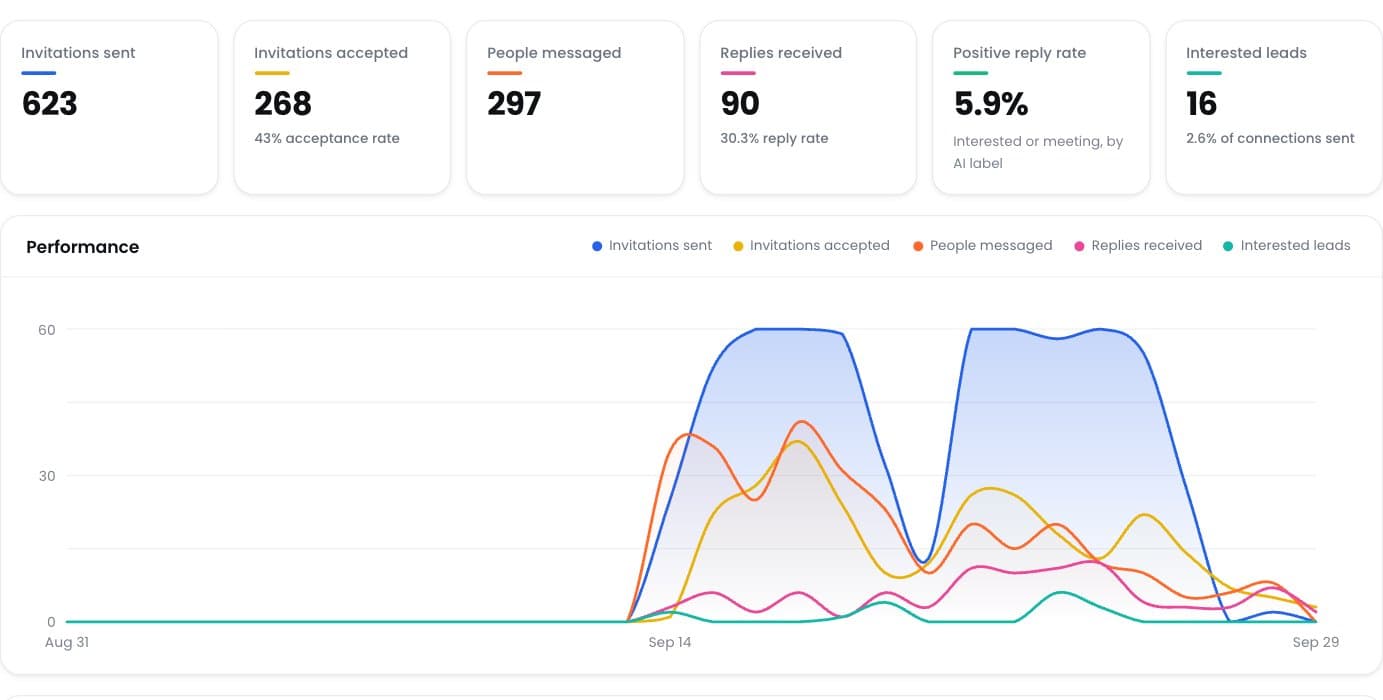
Positive reply rate
See which campaigns really start conversations.
Ready to Stop Adding Another Monthly Software Bill?
Run your LinkedIn outreach through ReachEase: AI builds your campaigns and sorts every reply, with lifetime software access and a LinkedIn sender model designed to scale with your operation.