Pattern, Not Tooling
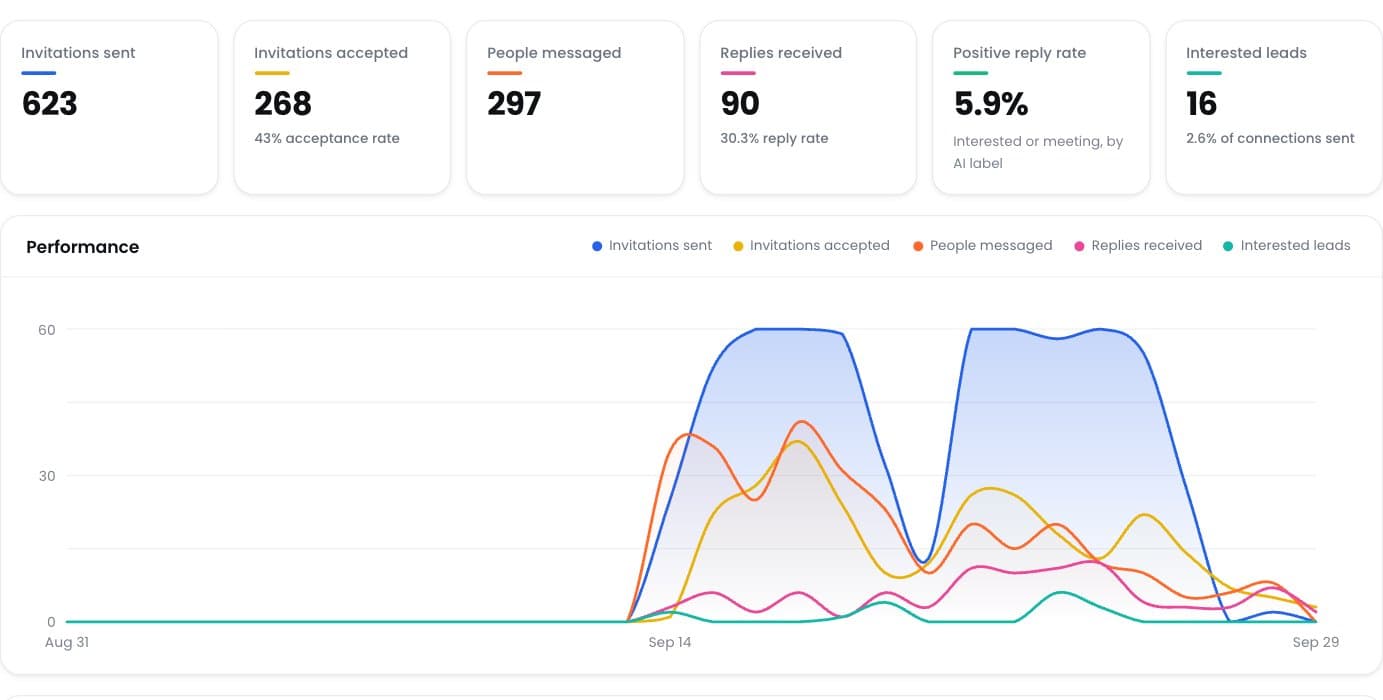
LinkedIn cannot see which software sent a request; it sees the behaviour that resulted. An account sending 15 invitations spread irregularly across a working day looks like a person. The same account sending 60 in twenty minutes at 3am does not. Every practical safety measure follows from that distinction.
The Four Reliable Triggers
In order of how often they cause problems: sending well above roughly 100 invitations per account per week; sending in bursts rather than spread across the day; operating at hours the account never otherwise uses; and a high proportion of invitations ignored or marked as unwanted, which is a targeting and messaging problem rather than a pacing one.
Acceptance Rate Is a Safety Metric, Not Just a Performance One
This is the one most people miss. A low acceptance rate means you are contacting people who do not recognise why you are contacting them, and LinkedIn treats sustained low acceptance as a signal. Better targeting improves both your results and your account safety at the same time, which is unusual.
What Restriction Looks Like When It Happens
Usually a temporary restriction on sending invitations rather than an outright ban, sometimes with a request to verify identity. The correct response is to stop sending from that account entirely, not to move it to another tool. Continuing to send during a restriction is what converts a temporary problem into a permanent one.
The Safeguards That Actually Prevent It
Per-account daily caps well inside the weekly allowance. Randomised gaps rather than a fixed interval, because a perfectly regular rhythm is itself a pattern. Working-hours enforcement per account. A warm-up ramp for new accounts. And an automatic stop when the provider signals a problem, rather than continuing to push.